Which crypto portfolio tracker is best for multiple wallets?
- If you run more than two wallets, one exchange account, and a couple of DeFi positions, your portfolio stops being a portfolio and becomes a scavenger hunt.
- One MetaMask address has LP tokens.
- A hardware wallet holds spot ETH and BTC.
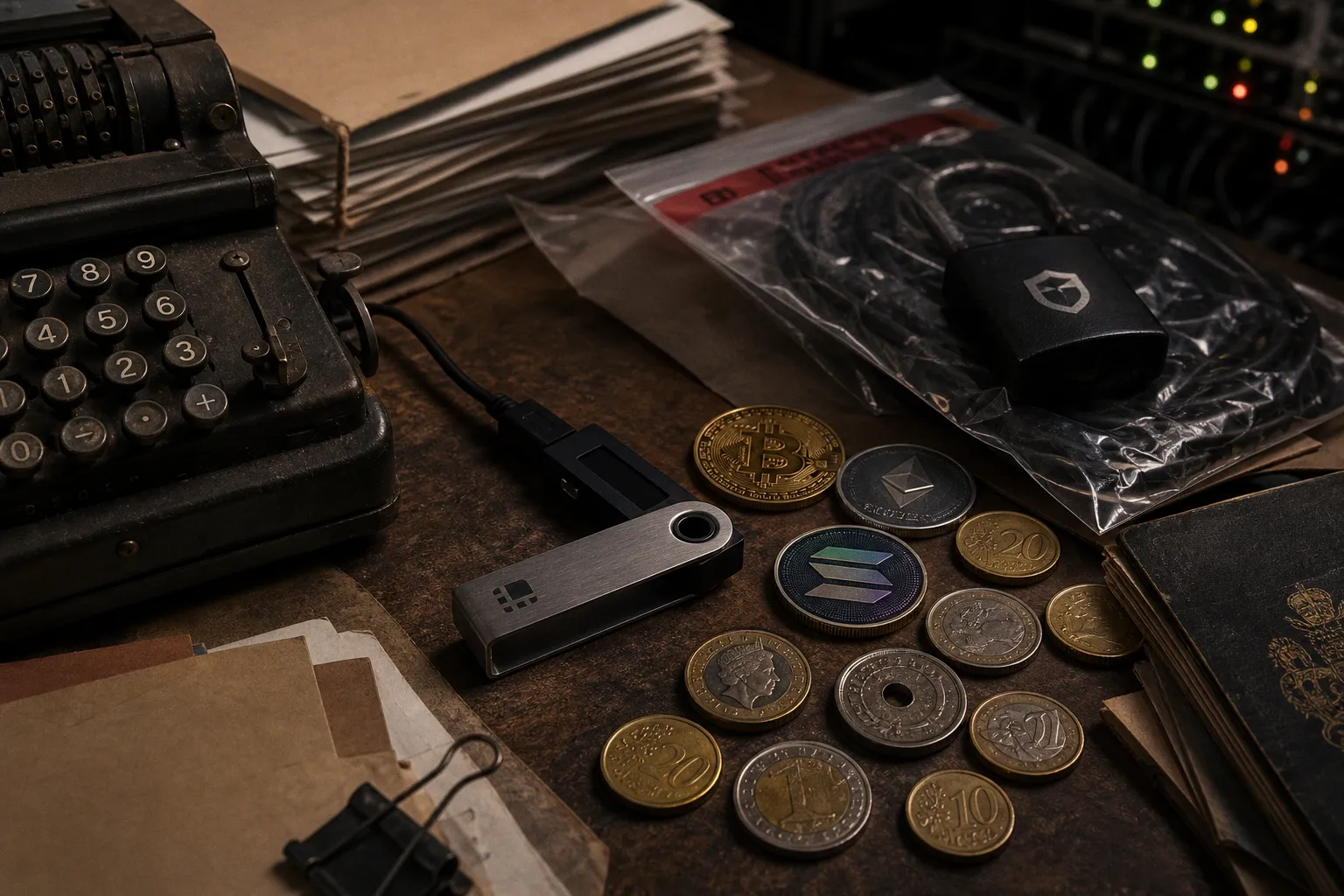
So, which crypto portfolio tracker is best for multiple wallets? My short answer: CoinStats is the most complete general-purpose tracker for multi-wallet users, while Koinly wins if tax reporting is the main pain, and DeBank or Zapper are better if most of your capital lives in DeFi protocols rather than spot wallets.
That split matters. A crypto portfolio tracker is not just a prettier balance sheet. It decides how fast you see exposure, whether LP positions get priced correctly, whether staking income gets categorized, and whether you notice that one “small” wallet has quietly become 18% of your risk.
The best tracker is not the one with the most logos on its homepage. It is the one that sees the assets you actually use, without asking for permissions it should never need.
The core answer: match the tracker to your wallet mess
Here’s the practical breakdown.
If you hold coins across multiple exchanges and wallets, CoinStats is the cleanest default. It supports over 300 exchanges and 1,000+ wallets, with tracking across chains including Ethereum, Solana, and Bitcoin. That breadth matters if you are dealing with spot holdings, exchange balances, wallet addresses, and a few on-chain positions in one dashboard.
If your portfolio is tax-heavy — lots of trades, staking rewards, income events, transfers between wallets — Koinly deserves the first look. It is widely recognized for tax reporting and supports integration with over 700 exchanges and wallets. It automatically calculates capital gains and income tax, though you still need to sanity-check the output against your own jurisdiction and transaction history.
If you want a unified app for crypto, stocks, and NFTs, Delta Investment Tracker makes sense. It is owned by eToro and is built for users who want a broader investing dashboard, not just a crypto-native command center.
If your portfolio is DeFi-first, use DeBank or Zapper. They are specialized for DeFi tracking: liquidity pools, yield farming positions, NFT holdings, and EVM-compatible chain activity. They usually understand protocol positions better than general trackers because they read smart contract interactions more directly.
| Use case | Best fit | Why it works | Where it can fall short |
|---|---|---|---|
| Many wallets plus exchange accounts | CoinStats | Broad exchange and wallet support; single dashboard for multi-chain holdings | DeFi position interpretation can still vary by protocol |
| Tax reporting across many transactions | Koinly | 700+ integrations; capital gains and income tax calculations | Not a substitute for local tax advice or manual review |
| Crypto plus stocks and NFTs | Delta | Real-time tracking across multiple asset classes | Less crypto-native than DeFi-focused tools |
| LPs, farms, NFTs, EVM wallets | DeBank / Zapper | Stronger visibility into DeFi positions and protocol balances | Less useful for centralized exchange balances |
| Privacy-first manual tracking | Spreadsheet or manual-entry tracker | No API keys, no address clustering by third-party apps | Slow, error-prone, weak for active trading |
I know, nobody wants to run three dashboards. But if you are active on-chain, one tracker rarely covers every edge case. I often use one general tracker for net worth and one DeFi-native tool to inspect positions before moving capital.
API vs. public wallet tracking: the permission layer decides the risk
A multi-wallet crypto portfolio tracker usually syncs in one of three ways: read-only exchange API keys, public wallet addresses, or manual entry.
Each method has a different risk profile.
Read-only API keys
For centralized exchanges, the tracker typically connects through an API key. The critical phrase is read-only. A tracker using read-only API access can view balances and transactions, but it should not be able to trade, move, or withdraw funds.
That is the security standard you want.
Do not give a portfolio tracker withdrawal permission. Do not give it trading permission unless you are deliberately using execution features and understand the blast radius. For pure portfolio tracking, read-only is enough.
Read-only API keys are still not “risk-free.” If a tracker gets breached, your balances, transaction patterns, and exchange usage can leak. That data can make you a better phishing target. It may not drain your wallet directly, but it can still hurt you.
Public wallet addresses
For on-chain wallets, the tracker can read your public address. This is convenient because it does not need a private key or seed phrase. It just scans the chain and labels balances, NFTs, LP tokens, lending positions, and contract exposures where it can.
That is powerful, especially across Ethereum and EVM chains. But here’s the privacy trade: once you paste multiple addresses into the same tracker account, you may be clustering your identity. Your cold wallet, hot wallet, airdrop wallet, and DeFi wallet may become one behavioral map.
That does not mean “never do it.” It means you should be intentional. If you keep a privacy-separated wallet, do not casually connect it to the same dashboard you use for everything else.
Manual entry
Manual entry is slow and annoying. It also avoids API and address-sharing risks.
For long-term cold storage, manual balances can be enough. If your hardware wallet holds BTC and ETH that you never touch, you do not need a live sync every five minutes. You need a rough allocation view and discipline.
Manual entry breaks down for active DeFi, staking, perps collateral, bridging, and tax records. If you are compounding yields, claiming rewards, rotating farms, or moving between L2s, manual tracking turns into fiction fast.
CoinStats, Koinly, Delta, Zapper, DeBank: what each one actually solves
A lot of “best crypto portfolio tracker” lists flatten the category into star ratings. That is lazy. These tools do different jobs.
CoinStats: the broad dashboard for messy portfolios
CoinStats is the best starting point if your assets are spread across exchanges, wallets, and multiple chains. Its headline strength is coverage: over 300 exchanges and 1,000+ wallets.
That matters because the most common multi-wallet problem is not exotic. It is fragmentation.
You bought BTC on one exchange. You moved ETH to a hardware wallet. You used Solana for airdrops. You bridged to an L2. You left USDC on an exchange to trade. Now your portfolio allocation is invisible unless you open six tabs.
CoinStats tries to collapse that into one view.
Where I like it: broad portfolio visibility, exchange syncing, wallet syncing, and a dashboard that works for users who are not purely DeFi degens.
Where I stay cautious: any tracker that aggregates this much data becomes a sensitive data hub. Use read-only keys. Review connected accounts. Kill old API keys. Do not treat convenience as security.
Koinly: the tax engine, not just a tracker
Koinly is what I reach for when the question changes from “what do I own?” to “what did I do?”
That difference is huge.
Portfolio dashboards show balances. Tax tools reconstruct events. Transfers, disposals, staking income, rewards, swaps, fees, bridging, airdrops — these all need classification. Koinly supports over 700 exchanges and wallets and is built to calculate capital gains and income tax.
Still, do not outsource your brain. Tax logic varies by jurisdiction. DeFi transactions can be messy. Wrapped assets, LP deposits, rebasing tokens, and cross-chain bridges can confuse automated systems. Koinly can reduce the chaos, but you still need to review categories before filing.
Use Koinly if:
1. You trade often across exchanges and wallets.
2. You need capital gains reports.
3. You receive staking rewards or DeFi income.
4. You want transaction history cleaned up before tax season.
5. You are tired of discovering missing cost basis at the worst possible time.
Do not use it as your only portfolio cockpit if your main goal is live DeFi risk monitoring. That is not its strongest lane.
Delta: the “all assets in one place” option
Delta makes sense if crypto is only one sleeve of your portfolio. It tracks crypto, stocks, and NFTs, giving a unified view for diversified investors.
That can be useful if your real question is allocation. Maybe you want to see BTC next to equities, NFTs next to cash, or crypto exposure as part of your broader net worth.
But if you are deep in yield farms, governance bribes, lending markets, and LP positions, Delta is not the tool I’d rely on as my only source of truth. It is a portfolio app, not a DeFi risk terminal.
Zapper and DeBank: where DeFi tracking gets serious
DeBank and Zapper are built for the wallet-native user. If you are tracking LP positions, yield farming, lending markets, NFTs, and EVM-compatible chain balances, this is where the experience gets sharper.
A general tracker may show that you hold a token. A DeFi tracker tries to show that you deposited assets into a pool, borrowed against collateral, earned rewards, or hold an LP position with changing exposure.
That matters because DeFi balances lie if you only look at wallet tokens.
If you provide liquidity, your wallet may not show the underlying assets directly. You may hold a receipt token or no obvious token at all, while your real exposure sits inside a smart contract. If you lend assets, the wallet balance may not tell the full story. If you farm rewards, unclaimed tokens may not appear in a general dashboard.
A DeFi portfolio is not a list of coins. It is a stack of claims on smart contracts, and every claim has its own failure mode.
Use DeBank or Zapper when you need to answer questions like:
- Which wallets have active positions across EVM chains?
- How much capital is sitting in liquidity pools?
- Are rewards claimable or still accruing?
- Do NFTs or protocol positions meaningfully affect net worth?
- Which contracts have I interacted with recently?
The limitation: centralized exchange visibility is not the main event here. If half your money sits on Binance, Coinbase, Kraken, or a day-trading venue, you still need another tracker or direct exchange reporting. For active exchange traders comparing execution environments, independent reviews such as this look at a crypto day trading exchange can help frame what features matter before balances even hit your tracker.
What “best” means when you manage multiple wallets
The best crypto portfolio tracker for multiple wallets should do five things well. Miss one, and you will feel it when markets move fast.
1. It must support the chains you actually use
Do not choose based on total chain count alone. Choose based on your chain map.
If you hold Bitcoin, Ethereum, Solana, and a few EVM L2s, your tracker needs to handle those cleanly. If you farm on EVM-compatible chains, DeBank and Zapper become more relevant. If your holdings are mostly spot assets across exchanges and standard wallets, CoinStats may give you the cleaner top-down picture.
A tracker that supports 80 networks but misreads your main LP position is not helping you.
2. It must separate wallet balance from real exposure
This is the big one.
Say you deposit ETH and USDC into a liquidity pool. Your wallet no longer simply “has ETH and USDC.” It has exposure to a pool position that changes with price movement, fees, and impermanent loss.
If the tracker cannot interpret that position, your allocation is wrong.
Same problem with lending markets. If you deposit collateral and borrow stablecoins, your net worth, leverage, and liquidation risk are not visible from spot balances alone. A tracker that just says “wallet has tokens” misses the actual risk.
For serious DeFi users, portfolio tracking must include:
- LP token decoding, where supported.
- Lending and borrowing positions.
- Staked assets and liquid staking tokens.
- Unclaimed rewards.
- NFT holdings, if they are material.
- Cross-chain balances that do not double-count bridged assets.
3. It must give you clean aggregation without destroying privacy
Multi-wallet tracking is convenient because it aggregates. Aggregation is also the privacy leak.
If you connect every address you own into one tracker account, you create a rich map of your financial behavior. That may include cold storage, trading wallets, DAO wallets, burner wallets, and airdrop wallets.
My rule: separate operational wallets from long-term storage in how you track them.
For example:
- Use live syncing for hot wallets and trading wallets.
- Use manual tracking for cold storage if exact real-time updates are unnecessary.
- Avoid linking privacy-sensitive wallets to the same account as public trading wallets.
- Remove old API keys and stale wallet connections.
- Use separate tracker accounts if you intentionally separate strategies.
This is not paranoia. It is basic crypto hygiene.
4. It must handle tax data if you trade actively
If you make ten spot buys a year, tax reporting may be manageable. If you trade across exchanges, bridge assets, farm rewards, and rotate wallets, transaction history becomes the monster under the bed.
Koinly’s strength is that it treats tax reporting as the product. Its 700+ integrations help pull data from exchanges and wallets, then calculate gains and income events.
But the ugly truth: no tracker can magically understand every DeFi edge case across every jurisdiction. You need to review weird transactions. You need to catch missing cost basis. You need to classify transfers correctly so you do not accidentally treat wallet-to-wallet movement as a taxable disposal where it is not.
The better workflow is not “sync once in April and pray.” It is monthly cleanup. Boring? Yes. Cheaper than reconstructing a year of DeFi after the fact? Also yes.
5. It must not ask for dangerous permissions
This is non-negotiable.
A portfolio tracker does not need your seed phrase. It does not need your private key. For exchange syncing, it should use read-only API access. For wallet syncing, public addresses are enough. For wallet connections, inspect what you are signing.
If a tool asks for permissions that do not match the job, walk away.
Here is the simple permission map:
| Connection type | Acceptable for tracking | Red flag |
|---|---|---|
| Exchange API | Read-only balances and transactions | Withdrawal permission enabled |
| Public wallet address | Balance and transaction viewing | Asking for seed phrase |
| Wallet connect | Message signing for verification | Token approvals unrelated to tracking |
| Manual entry | No live access | False sense of accuracy if never updated |
| Tax import | Transaction history access | Unclear data retention policy |
Critical risk warning: read-only access protects funds from direct withdrawal through the tracker, but it does not protect your portfolio data from exposure. Treat data leakage as a real security issue.
Free crypto portfolio tracker or paid tool?
A free crypto portfolio tracker can be enough if your portfolio is simple: a few wallets, a couple of exchanges, mostly spot holdings. Free tiers are useful for testing sync quality before trusting a tool with your full portfolio map.
But free usually breaks down in three places.
First, connection limits. Multiple wallets and exchanges can push you into paid plans fast.
Second, advanced analytics. DeFi position decoding, historical PnL, and richer reporting may sit behind upgrades.
Third, tax exports. If you need serious reporting, especially with lots of transactions, expect to pay. That is not necessarily bad. The cost of a good tax workflow can be lower than the cost of bad records.
My advice: do not start by asking “free or paid?” Start by syncing a small subset of wallets and checking accuracy. If the tool mislabels basic transfers or misses your main protocols, a paid plan will not fix the core mismatch.
How to track a crypto portfolio without fooling yourself
The mechanics are simple. The discipline is not.
Here is the workflow I use when testing a crypto portfolio tracker across multiple wallets:
1. Start with one exchange and one wallet. Do not connect everything on day one. Check whether balances, transaction history, and cost basis look sane.
2. Use read-only API keys only. Disable withdrawals and trading permissions unless you have a very specific reason.
3. Add wallets by strategy, not randomly. Trading wallet first, DeFi wallet second, cold storage last or manually.
4. Compare against native sources. Check the exchange balance, block explorer, and protocol UI. The tracker should match within a reasonable range.
5. Inspect DeFi positions manually. LPs, lending, staking, and rewards often need a second look.
6. Tag transfers early. Wallet-to-wallet movement can pollute PnL and tax reports if misclassified.
7. Review monthly. Five minutes every month beats five hours during panic selling or tax season.
8. Delete stale connections. Old API keys and abandoned wallet links are unnecessary attack surface.
The highest-value habit is reconciliation. Pick a day, open the tracker, open your main exchange, open the relevant wallet explorer, and compare. If numbers drift, find out why before the position matters.
My practical pick for 2026
If you ask me for one default recommendation: use CoinStats as the broad multi-wallet dashboard. It has the coverage most users need across exchanges, wallets, and major chains. For someone trying to answer “what is my total crypto exposure right now?” it is the strongest general fit.
But I would not stop there if your setup is more complex.
Use this stack instead:
- CoinStats for a unified multi-wallet and exchange overview.
- Koinly for tax reporting, especially if you trade, stake, or generate income.
- DeBank or Zapper for DeFi-native positions across EVM chains.
- Manual tracking for cold storage you do not want clustered with active wallets.
That is not as clean as one magic app. It is more honest.
Crypto portfolios are weird because your assets can sit in wallets, exchanges, bridges, LP contracts, staking systems, lending markets, and NFT collections at the same time. A single dashboard can help, but it cannot remove the need to understand where your capital actually is.
Final call: if you manage multiple wallets and want the best crypto portfolio tracker for day-to-day visibility, start with CoinStats. If taxes are the pain, add Koinly. If DeFi is where the risk lives, keep DeBank or Zapper open. And before you connect anything, lock permissions down to read-only, separate sensitive wallets, and verify the numbers yourself.
Your tracker should make you faster, not lazier.